
An information system built to withstand ransomware
Xanadu was preparing to move to a new headquarters, Atlantis, and had to connect a remote site, Springfield, which houses a laboratory and its measuring equipment. Its information system had grown piece by piece: the network was flat, several departments shared the same account, users were administrators of their own machines, the ERP ran over HTTP and backups relied on manual scripts and USB drives kept on site.
Management had been shaken by a neighbouring company that ransomware had brought to a halt for three weeks. The request was therefore to design an information system able to withstand that kind of attack, to bring critical services back in under four hours, and to guarantee the laboratory a link to headquarters below fifty milliseconds of latency. The expected deliverable covered the documented target architecture, the security and backup policy, and a working model proving that the architecture actually held.
Ten VLANs split by level of risk
The architecture requires that no traffic moves from one zone to another without being inspected. The headquarters network is split by risk level, with servers on one side, the departments handling sensitive data such as accounting, HR and management on another, sales staff kept apart since their laptops come back from hotel and customer networks, and printers isolated because their systems are rarely updated. An administration VLAN reserved for a hardened workstation hosts the management interfaces and the backup storage, and a DMZ hosts the public website without any data.
The gateway of each VLAN sits on the UTM firewall instead of a layer 3 switch, which forces every packet changing zone through inspection. The filtering policy starts from deny by default and only opens the flows that are needed, such as the PostgreSQL port between the application server and the database, or web access to the ERP for user workstations.
Active Directory runs on two domain controllers at headquarters and a read-only domain controller at Springfield. The latter lets researchers log in even if the link to headquarters goes down, without exposing the full password database if the server were ever stolen.
An ERP and a VPN beyond the brief
The MPLS link between the two sites follows directly from the latency requirement, since only an operator-managed link contractually guarantees under fifty milliseconds of latency and under ten of jitter. The control of the laboratory equipment stays on a local server, however, because going through that link would have added a delay incompatible with real-time commands.
We chose to go beyond the brief on the ERP, which was not even required in the working model. I set up Odoo Community as a three-tier architecture, with a reverse proxy handling HTTPS, an application server that never talks to users directly and a database that rejects any connection not coming from it. The ERP authenticates against the directory over LDAPS, and its business accounts are mapped to Active Directory accounts according to each employee's line of business, so a departure or a change of department is handled in a single place.
Access rights follow the AGDLP model: a user is never granted access to a folder directly, but belongs to a group that represents their role, itself placed in a group that represents access to the resource. We also split administrator accounts into three tiers, so that an administrator never uses a highly privileged account to read their email.
For remote access, I configured the SSL VPN with multi-factor authentication and a device compliance check inspired by ZTNA principles, which refuses connections from a machine whose antivirus is not running. This check was not in the specification either, but it addressed the risk posed by mobile workstations head on.
The backup policy applies the 3-2-1-1-0 rule: three copies on two different media, one of them off site and replicated every night to Springfield, one immutable copy that even a compromised backup server cannot erase, and zero errors thanks to automatic restore testing.
A model built on a real Dell server
We built the working model on a physical server and not in a simulator. I handled the configuration of the Proxmox hypervisor, of the Stormshield firewall holding the gateway of every VLAN, of the ERP and of the SSL VPN, as well as the public website, hosted in a Docker container on a Debian machine placed in the DMZ. I also helped set up the Zabbix probes and SNMP monitoring, while overseeing and testing the group policies deployed on the workstations.
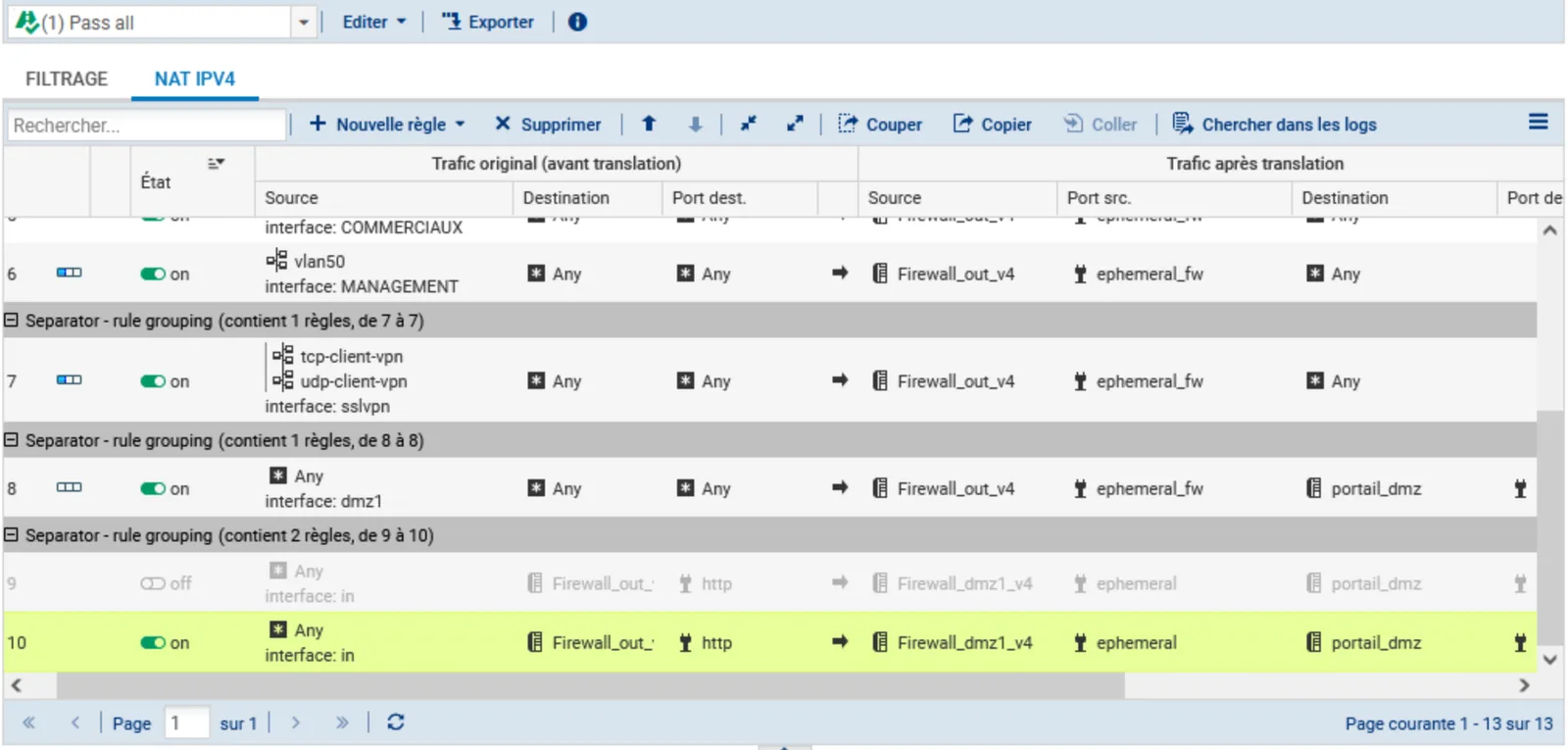
The model served as a validation bench. We checked that a sales workstation could reach neither the database nor the HR shares, that authentication survived the loss of a domain controller, and that a remote machine without a running antivirus stayed locked out of the VPN.
Graded A with the groundwork for a BCP and DRP
The whole setup was demonstrated at the final presentation and the course unit was validated with an A. The file also lays the groundwork for a business continuity plan and a disaster recovery plan: recovery objectives are set by type of data, with at most one hour of data loss and a return to service in under four hours for the ERP database and the management shares, and replication to Springfield allows activity to restart if headquarters suffers a major incident. It also includes around ten administration scripts in PowerShell and Bash, along with a monitoring strategy that ties ten critical events to an automatic action, such as opening a ticket when the nightly backup fails.